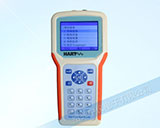
歡迎訪(fǎng)問(wèn)儀器儀表使用說(shuō)明頻道HART375E手持器說(shuō)明書(shū)(全英文)頁(yè),專(zhuān)注打造儀器儀表行業(yè)知名平臺(tái)!

儀器儀表公司
歡迎訪(fǎng)問(wèn)儀器儀表使用說(shuō)明頻道HART375E手持器說(shuō)明書(shū)(全英文)頁(yè),專(zhuān)注打造儀器儀表行業(yè)知名平臺(tái)!
儀器儀表公司
更新時(shí)間:2022年12月01日
HART375E QUICK GUIDE
◆Onoff Key
The On/off Keyis used to power on and off Field Communicator by pressing it for one second.爭(zhēng)Up/Down Arow Key
The two keys allow you to move up and down through the menu or option list
Left/Right Arrow Key
The left key ( allowsyou to move the cursor left or back to the previous menu while the keys "F4*" is shown
on the screen.The right keyallows you to move the cursor right or select an item from the menu while the keys "F4*" isshown on the screen
Enter KeyThe enter key allows you to perform the focused item while keys "F4*" is shown on the screen.Tips: The so-called "F4" keys are soft input buttons(less than four) showing at the bottom of the screen duringoperat1on.
There are usually four forms of the soft input buttons, they are "ABORT", "ESC", "ENTER", "BACK", "DEL'Alphanumeric and Shift Key
The 12 alphanumeric keys in the middle of the keyboard allow you to input data. With other 3 shift keys at thebottom of the keyboard, you can input both letters and special characters. (Press a shift key first and then a key witha letter to input the letter. Don't need to press two keys at one time)
HART375E BASIC FUNCTIONS (ONLINE SITUATION)
Viewing Variables (Reading Values)
Press key "l" to enter into "Process Variables"
Setting Primary Variables Unit
Press key"4.2.1" in turn to enter into"1 PV Unit'
Setting Upper Range Value
Press key "4, 2, 2" in turn to enter into "2 PV URV"
Setting Lower Range Value
Press key "4, 2,3" in turn to enter into "3 PV LRV"
Setting Damping
Press key "4,2,4" in turn to enter into "4 PV Damp"
Analog Output Calibration
Press key "2,3, 2" in turn to enter into "2 D/A trim"Note: The incorrect usage of analog output calibration is likely to increase the output error of the HART? device
Primary Variables Zero TrimPress key "2, 3, 3, 1" in turn to enter into "1 Zero trim" (some devices may not have this function).Note: The function of primary variables zero trim can fix output zero bias of the instrument caused by installationpos1t1on.
Normally the function can be performed just when HART? device first installed or during instrument periodictest. The incorrect usage of the function is likely to increase output error of HART? device.
儀器儀表廠(chǎng)家 紹興中儀電子有限公司
電話(huà):15088506679
15088502899